
Organizations increasingly depend on processing tools to transform raw activity into reliable outcomes. Whether the work involves customer data, financial records, operational requests, inventory updates, compliance checks, or internal approvals, the ability to process information consistently is now a core business capability. Data processing, workflow automation, and operational efficiency solutions help teams reduce manual work, improve accuracy, and make decisions based on timely, structured information.
TLDR: Processing tools help organizations convert data and routine tasks into dependable, measurable business processes. They support better accuracy, faster workflows, stronger compliance, and improved use of staff time. The most effective solutions combine data integration, automation, monitoring, and governance so that operations become more scalable and resilient.
Why Processing Tools Matter
Every organization processes information, even if the work is not formally described that way. A sales team updates customer records, a finance department reconciles invoices, a logistics team tracks shipments, and a human resources department manages employee documentation. When these processes rely heavily on manual entry, disconnected spreadsheets, or informal communication, errors become more likely and performance becomes harder to measure.
Processing tools provide structure. They help standardize how information is collected, validated, routed, reviewed, stored, and reported. This structure is particularly important as organizations grow. A process that works well with ten transactions per week may become unreliable when the volume increases to hundreds or thousands. Without automation and clear data handling rules, growth can create operational risk rather than efficiency.
In serious business environments, processing tools are not merely conveniences. They support continuity, consistency, auditability, and accountability. These qualities are essential for organizations that must meet service commitments, comply with regulations, protect sensitive data, or maintain quality across multiple teams and locations.
Data Processing: Turning Raw Information into Usable Insight
Data processing refers to the collection, cleaning, transformation, enrichment, validation, and storage of information. Its purpose is to make data accurate, accessible, and useful. Raw data is often incomplete, duplicated, inconsistent, or stored in incompatible systems. Without proper processing, reports may be misleading and decisions may be based on unreliable evidence.
Modern data processing tools commonly support several important functions:
- Data collection: Gathering information from databases, applications, forms, sensors, documents, or external sources.
- Data validation: Checking whether entries are complete, correctly formatted, and consistent with defined rules.
- Data cleansing: Removing duplicates, correcting inaccuracies, and standardizing values.
- Data transformation: Converting information into formats suitable for reporting, analytics, or downstream systems.
- Data integration: Combining records from multiple platforms so teams can work with a unified view.
- Data storage and access control: Ensuring information is retained securely and made available only to authorized users.
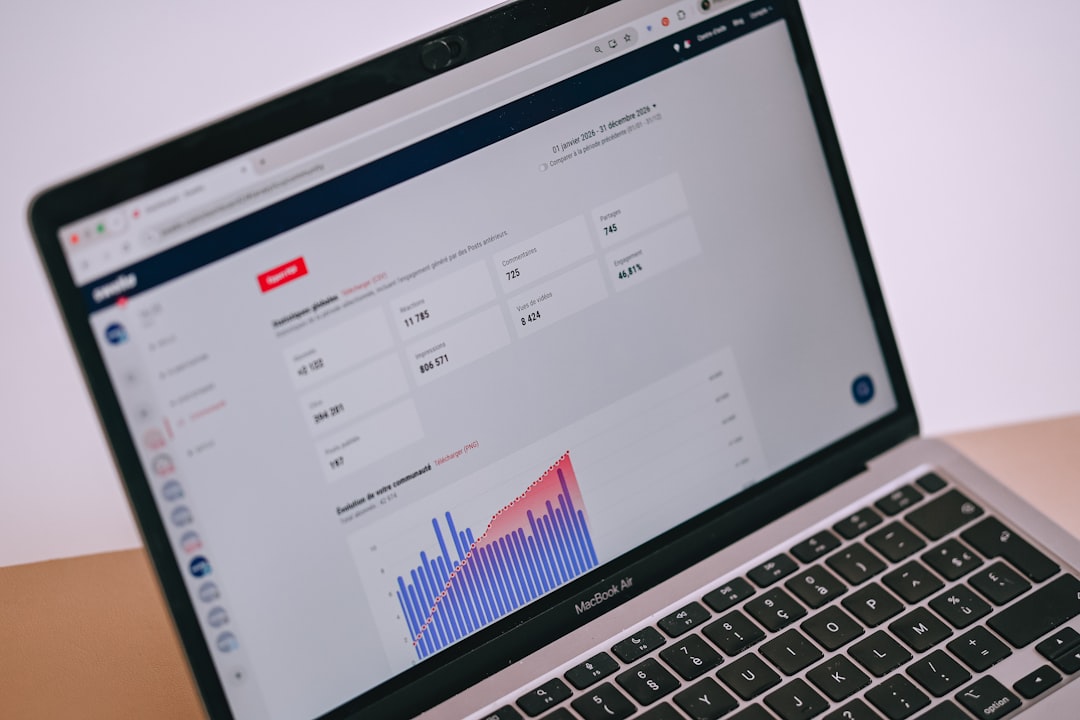
Reliable data processing is especially important for reporting and analytics. Executives and managers need confidence that performance dashboards reflect actual conditions. If data is fragmented or poorly processed, leadership may misjudge demand, overlook operational bottlenecks, or make investment decisions based on incorrect assumptions.
Effective data processing also supports compliance. Many industries require organizations to maintain accurate records, demonstrate traceability, and protect personal or confidential information. Tools with logging, permission controls, retention settings, and audit trails help organizations meet these obligations with greater confidence.
Workflow Automation: Moving Work Forward with Less Friction
Workflow automation focuses on the movement of tasks, approvals, notifications, and information across people and systems. It replaces repetitive manual coordination with predefined rules and triggers. For example, when a customer submits a support request, an automated workflow can classify the request, assign it to the correct team, notify the customer, set a response deadline, and escalate the issue if it remains unresolved.
The value of workflow automation lies in consistency and speed. Manual processes often depend on memory, availability, or informal follow-up. Automated workflows ensure that the next step happens when conditions are met. This reduces waiting time, limits miscommunication, and helps teams focus on judgment-based work rather than administrative coordination.
Common workflow automation use cases include:
- Invoice processing: Capturing invoice details, matching them to purchase orders, routing them for approval, and scheduling payment.
- Employee onboarding: Creating accounts, assigning training, collecting documents, and notifying relevant departments.
- Customer service management: Prioritizing cases, assigning agents, sending updates, and tracking resolution times.
- Procurement approvals: Routing purchase requests based on amount, department, vendor category, or budget status.
- Compliance reviews: Triggering periodic checks, collecting evidence, and documenting reviewer decisions.
Well-designed workflow automation does not remove human oversight where it is needed. Instead, it places human review at the right moments. Routine steps can be automated, while exceptions, unusual patterns, and high-risk decisions can be escalated to qualified personnel. This balance protects control while improving efficiency.
Operational Efficiency: Doing More with Greater Reliability
Operational efficiency is not simply about doing things faster. It is about using resources responsibly while maintaining or improving quality. Processing tools help organizations reduce waste in the form of duplicated effort, preventable errors, unnecessary delays, unclear ownership, and avoidable rework.
An efficient operation has several recognizable characteristics. Information flows clearly, tasks are assigned to the right people, performance is visible, exceptions are handled quickly, and process changes can be implemented without disruption. Processing tools make these characteristics easier to achieve by providing automation, monitoring, standardization, and control.

One of the most practical benefits is improved visibility. Managers can track how long tasks take, where approvals are delayed, which teams are overburdened, and which processes generate the most errors. This allows operational improvements to be based on evidence rather than assumptions. Over time, these insights can lead to better staffing decisions, clearer service level agreements, and stronger customer outcomes.
Key Features of Effective Processing Tools
Not all processing tools are suitable for every organization. The right solution depends on the complexity of operations, data sensitivity, integration requirements, budget, and long-term goals. However, dependable tools often share several core features.
- Integration capability: The tool should connect with existing systems such as customer relationship management platforms, enterprise resource planning systems, databases, payment platforms, and communication tools.
- Rule based automation: Teams should be able to define conditions, triggers, approvals, validations, and routing logic without excessive technical burden.
- Scalability: The platform should handle increasing transaction volumes, users, and process complexity without performance problems.
- Security and access controls: Sensitive information must be protected through role based permissions, encryption, authentication, and monitoring.
- Audit trails: The system should record what happened, when it happened, and who was involved.
- Reporting and analytics: Built in dashboards and export functions help teams measure performance and identify improvement opportunities.
- User friendly design: A tool that is difficult to use will slow adoption and may lead employees back to informal workarounds.
A serious evaluation should include not only product features but also implementation effort, support quality, vendor stability, documentation, and total cost of ownership. A tool that appears inexpensive at first may become costly if it requires extensive customization or creates dependency on specialized technical support.
Implementation Considerations
Successful implementation begins with process understanding. Organizations should document the current workflow before introducing automation. This includes identifying inputs, outputs, decision points, handoffs, delays, exception paths, and system dependencies. Automating a poorly understood process can simply make inefficiency happen faster.
It is often wise to begin with a high-value but manageable use case. For example, an organization might start by automating invoice approvals or customer request routing before attempting a company-wide operational transformation. A focused pilot allows the team to test assumptions, gather user feedback, validate integration needs, and demonstrate measurable results.
Change management is also critical. Employees need to understand why the tool is being introduced, how it will affect their work, and what benefits it provides. Training should be practical and role specific. Leaders should also clarify that automation is intended to improve reliability and reduce administrative burden, not simply to monitor employees more closely.

Governance, Risk, and Data Quality
Processing tools become more valuable when supported by strong governance. Governance defines who owns data, who can approve process changes, how exceptions are handled, and how performance is reviewed. Without governance, automation can become fragmented, with different departments creating inconsistent rules and duplicative workflows.
Data quality deserves particular attention. If a system receives inaccurate information, it may process that information efficiently but still produce poor outcomes. Organizations should define data standards, validation rules, naming conventions, and regular review procedures. In sensitive environments, they should also establish retention policies and rules for handling confidential or personal data.
Risk management should be built into the design of processing tools. This may include segregation of duties, approval thresholds, exception alerts, access reviews, and periodic audits. For example, a procurement workflow should prevent the same person from both requesting and approving certain purchases. These controls reduce fraud risk and strengthen accountability.
Measuring the Return on Processing Tools
The return on investment from processing tools can be measured in several ways. Some benefits are direct and financial, while others reduce risk or improve service quality. Useful metrics include processing time, error rate, cost per transaction, number of manual touches, approval cycle time, compliance findings, customer response time, and employee satisfaction.
Before implementation, organizations should establish baseline measurements. After deployment, they can compare performance and decide whether the tool is delivering the expected value. A disciplined measurement approach also helps justify further investment and identify where additional optimization is needed.
It is important to recognize that benefits may increase over time. Early gains often come from eliminating obvious manual steps. Later gains may come from better analytics, improved process design, predictive insights, and more mature governance. For this reason, processing tools should be treated as part of an ongoing operational improvement program rather than a one-time technology purchase.
The Future of Processing Tools
Processing tools are becoming more intelligent, integrated, and adaptable. Advances in artificial intelligence, machine learning, document recognition, natural language processing, and predictive analytics are expanding what these systems can do. Tools can now extract data from documents, recommend task assignments, detect anomalies, forecast delays, and identify patterns that would be difficult for humans to see manually.
However, the future is not only about more automation. It is also about better control. As organizations use more advanced processing capabilities, they must ensure transparency, fairness, security, and accountability. Human oversight remains essential, especially where decisions affect customers, employees, finances, or legal obligations.
Conclusion
Processing tools play a central role in modern organizational performance. By improving data processing, automating workflows, and strengthening operational efficiency, they help organizations operate with greater accuracy, speed, and control. Their value is not limited to cost reduction; they also support better decision-making, improved compliance, stronger service delivery, and more resilient operations.
The most effective approach is practical and disciplined. Organizations should understand their processes, select tools that fit their needs, implement them carefully, and measure results over time. When supported by sound governance and thoughtful change management, processing tools become a dependable foundation for sustainable operational excellence.