The safest MP3Paw alternative is not another clone site; it is a legal music service that lets you stream, save offline, or buy clean MP3 files without sketchy pop ups. MP3Paw became popular because it promised quick MP3 downloads, but many similar sites come with broken buttons, low quality files, misleading ads, and copyright risk. Music listening has moved hard toward licensed access: global recorded music revenue reached $28.6 billion in 2023, with streaming making up 67.3% of that total [source: IFPI].
TLDR: If you used MP3Paw for quick songs, try Spotify Premium or Apple Music for offline listening, Bandcamp for real MP3 downloads, and Jamendo or Free Music Archive for free legal tracks. For example, a student who saves 200 songs for commuting can keep them offline in Spotify, while a DJ who needs actual files should buy WAV or MP3 tracks from Bandcamp or Beatport. Expect paid services to cost around $6 to $12 per month, while legal free libraries usually have smaller catalogs.
Why people search for MP3Paw alternatives
MP3Paw’s appeal is obvious. Search a song, click a button, get a file. Simple. At least, that is the promise.
Honestly, it feels like these sites waste your patience on purpose. One “download” button opens an ad. Another starts a redirect. A third gives you a file with a weird name and unknown bitrate. That gets old fast.
There are three better paths:
- Streaming with offline mode for phones and daily listening.
- Paid download stores for real MP3, FLAC, WAV, or AIFF files.
- Free legal music libraries for creators, students, and casual listeners.
Best MP3Paw alternatives compared
| Service | Best for | Download type | Main drawback |
|---|---|---|---|
| Spotify Premium | Everyday listening | Offline in app | No standard MP3 files |
| Apple Music | iPhone users and lossless audio | Offline in app | Files stay inside Apple’s system |
| Bandcamp | Buying music directly from artists | MP3, FLAC, WAV, more | Catalog depends on artists |
| Amazon Music Unlimited | Alexa and Prime users | Offline in app | Interface can feel cluttered |
| YouTube Music | Remixes, live cuts, music videos | Offline in app | Audio quality varies by upload |
| Jamendo | Free legal music | MP3 downloads | Mostly independent artists |
| Beatport | DJs and electronic music | MP3, WAV, AIFF | Track prices add up |
1. Spotify Premium: best for most listeners
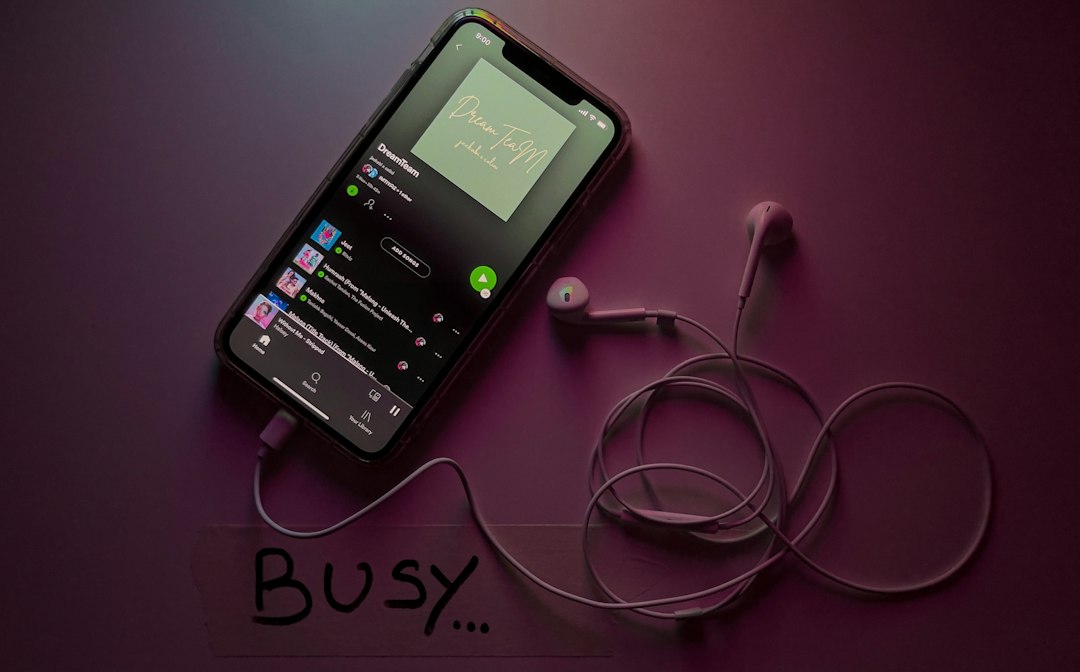
Spotify Premium is the easiest MP3Paw replacement if your real goal is “I want my music available anytime.” You can save albums, playlists, and podcasts for offline playback. The app works well on phones, desktops, smart speakers, TVs, and cars.
The catch is that Spotify does not give you normal MP3 files. Downloads are locked inside the app. If your subscription ends, offline access ends too. Still, for daily listening, discovery playlists, and shared playlists, Spotify is hard to beat.
Best pick for: commuters, gym users, playlist fans, and anyone who does not need permanent files.
2. Apple Music: strong audio quality and clean design
Apple Music is ideal if you use an iPhone, Mac, Apple Watch, or HomePod. It offers offline playback, a large catalog, curated playlists, spatial audio, and lossless streaming on supported devices.
It feels more polished than many rivals. Library management is also strong, especially if you already used iTunes years ago. The annoying part? Downloaded tracks still live inside the Apple Music app. You are not getting loose MP3 files to move anywhere you want.
Best pick for: Apple users, album listeners, and people who care about cleaner sound.
3. Bandcamp: best for real MP3 downloads
Bandcamp is one of the best answers for people who actually want music files. When you buy an album or track, you can often download it in MP3, FLAC, ALAC, AAC, Ogg Vorbis, or WAV. That is a huge win if you want to back up your library or use tracks in DJ software.
Bandcamp also feels more human. Artist pages include notes, lyrics, merch, and release details. You often see who made the music and how they describe it. That matters if you like independent scenes.
Best pick for: collectors, indie fans, DJs, and anyone who wants files they can keep.
4. Amazon Music Unlimited: good if you already use Amazon
Amazon Music Unlimited makes sense if you already have Echo speakers or shop through Amazon often. It offers offline playback, podcasts, playlists, and a huge catalog. Some tracks stream in HD or Ultra HD, depending on your plan and device.
The downside is the app. It can feel busy. Menus sometimes take a few taps more than they should. Still, it is a practical choice for homes with Alexa devices.
Best pick for: smart speaker users, families, and Prime members who want one account for many services.
5. YouTube Music: best for rare versions and live tracks
YouTube Music shines when you want remixes, live performances, covers, and strange versions that never reach regular streaming apps. If a song exists only as a video upload, there is a good chance you will find it there.
Premium users can save music offline in the app. That said, it is not a clean MP3 download service. Audio quality can also be uneven when content comes from user uploads.
Best pick for: fans of live versions, covers, remixes, and music videos.
6. Jamendo and Free Music Archive: best free legal options
If your budget is zero, try Jamendo and Free Music Archive. These sites focus on legal music from independent creators. Many tracks can be downloaded for personal listening, and some are available under Creative Commons licenses.
Read the license before using a song in a video, podcast, or commercial project. Free does not always mean “use it anywhere.” It drives me crazy that people skip this step, then get a takedown notice later.
Best pick for: students, small creators, indie listeners, and background music hunters.
7. Beatport: best for DJs
Beatport is built for electronic music buyers. You can buy tracks in DJ friendly formats and search by genre, key, BPM, release date, and label. That is far more useful than random MP3 search sites.
Prices can climb if you buy often, but the files are reliable. For club sets, radio mixes, and production work, that reliability matters.

Quick buying guide
- Choose Spotify if you want the best all round streaming app.
- Choose Apple Music if you live inside the Apple ecosystem.
- Choose Bandcamp if you want real downloads and artist support.
- Choose YouTube Music if you love covers, live clips, and rare uploads.
- Choose Jamendo if you need free legal music.
- Choose Beatport if you DJ electronic music.
Final verdict
MP3Paw alternatives are better when they match how you actually listen. If you only want songs on your phone, use Spotify, Apple Music, Amazon Music, or YouTube Music. If you want files you truly own, use Bandcamp or Beatport. If you want free tracks without shady redirects, try Jamendo or Free Music Archive.
The smartest move is simple: stop chasing random MP3 buttons and pick a service that gives you clean audio, fewer risks, and less wasted time.