For most homes, the best pick is a Eufy indoor camera if you want privacy controls, while TP-Link Tapo is the value choice and Blurams is the simple cloud-first option. Indoor cameras are not just “nice to have” anymore; the FBI reported more than 830,000 burglary offenses in its recent national crime data, which is enough reason to take basic monitoring seriously [source: FBI].
TLDR: If you want one camera for a living room or entryway, the Eufy Indoor Cam C120 is the safest all-rounder because it offers sharp video, local storage, and strong smart alerts. If you need to cover a larger room, the TP-Link Tapo C210 or Eufy Indoor Cam E220 makes more sense because pan and tilt cut blind spots by roughly 60–70% compared with a fixed corner camera. For example, in a small apartment hallway, a fixed camera may catch 4 of 6 movement paths, while a rotating model can track nearly all of them if placed well.
Quick comparison: the 5 indoor cameras worth shortlisting
- Blurams 2K Indoor Security Camera: best for users who want easy app viewing and cloud recording.
- Blurams Dome Lite 2: best budget Blurams option for basic motion alerts.
- Eufy Indoor Cam C120: best fixed indoor camera for privacy-minded users.
- Eufy Indoor Cam E220: best Eufy pan and tilt model for room coverage.
- TP-Link Tapo C210: best low-cost pan and tilt camera for everyday monitoring.
1. Blurams 2K Indoor Security Camera
The Blurams 2K Indoor Security Camera is a practical choice if you care most about remote viewing and fast setup. The app is simple enough for non-technical users. Live view is easy to find. Motion clips are presented clearly.
The catch is that Blurams leans heavily toward cloud features. That is fine if you want cloud history and do not mind a subscription. It is less appealing if you want to keep footage local. For a pet room, hallway, or rental unit, it works well. For privacy-sensitive rooms, Eufy feels more reassuring.
Best for: renters, pet monitoring, and users who want simple cloud playback.
2. Blurams Dome Lite 2
The Blurams Dome Lite 2 is a cheaper way to get indoor motion alerts and remote viewing. It is not the most polished camera here, but it covers the basics. You get motion detection, two-way audio, and app access from outside the home.
Honestly, it feels like the app pushes you toward paid features a little more often than it should. That gets annoying when all you want is one quick clip. Still, for a budget camera in a spare room, the value is fair.
Best for: low-cost monitoring where premium detection is not needed.
3. Eufy Indoor Cam C120
The Eufy Indoor Cam C120, also known in some regions as the Indoor Cam 2K, is the strongest fixed camera in this group. Video quality is crisp. Person detection is useful. Local storage support gives you more control over recordings.
This is the camera to buy if you are tired of subscriptions. It can store clips on a microSD card, depending on setup, and it works well for baby rooms, entry areas, and home offices. The app is also cleaner than many budget camera apps. It still has menus inside menus, but it does not feel like a maze.
If you already use Eufy gear outside the home, it also makes sense to compare indoor cameras with front-door devices. For package tracking, see this related guide to the Eufy Video Doorbell Dual 2K.
Best for: privacy, local storage, and reliable person alerts.
4. Eufy Indoor Cam E220
The Eufy Indoor Cam E220 is the better pick if one fixed view is not enough. It pans and tilts, so it can cover a wide living room, nursery, or open kitchen. That matters more than many people think. A fixed camera can miss movement near a side wall. A rotating camera can follow it.
Motion tracking is useful, but not perfect. Expect the occasional lag when someone walks quickly across the room. Still, for monitoring kids, pets, or an elderly parent, the wider coverage is worth it.
Best for: large rooms, pet tracking, and flexible viewing angles.
5. TP-Link Tapo C210
The TP-Link Tapo C210 is one of the best value indoor cameras for motion alerts and remote viewing. It offers sharp video, pan and tilt control, night vision, two-way audio, and local microSD storage. For the price, that is a strong mix.
The app is usually quick, but expect to spend a few extra minutes tuning alerts. If sensitivity is too high, curtains, car headlights, or pets can trigger constant notifications. It drives me crazy that cheaper cameras often ship with noisy alert settings. Lowering sensitivity and setting activity zones usually fixes it.
Best for: budget buyers who still want good room coverage.
Motion alerts: which brand is better?
Eufy usually wins on smarter alerts. Person detection is better, and local storage gives it an edge. TP-Link Tapo is close for the price, especially if you take time to set activity zones. Blurams is fine for basic motion events, but its best features often sit behind cloud plans.
For most users, the real goal is not more alerts. It is fewer bad alerts. A good setup should notify you about a person near the entry, not every shadow at 3 a.m.
Remote viewing and privacy
All five cameras support remote viewing through mobile apps. The bigger question is how much you trust the cloud path. If privacy is your main concern, choose a camera with local storage and use strong account security. A weak password can ruin even a good camera setup.
Basic digital safety matters here too. If you care about safer browsing and warning systems, this comparison of Chrome Safe Browsing vs Firefox website security is a useful read. For larger homes or small offices, managed protection may also be worth reviewing through this guide to IT security managed services.
Image not found in postmeta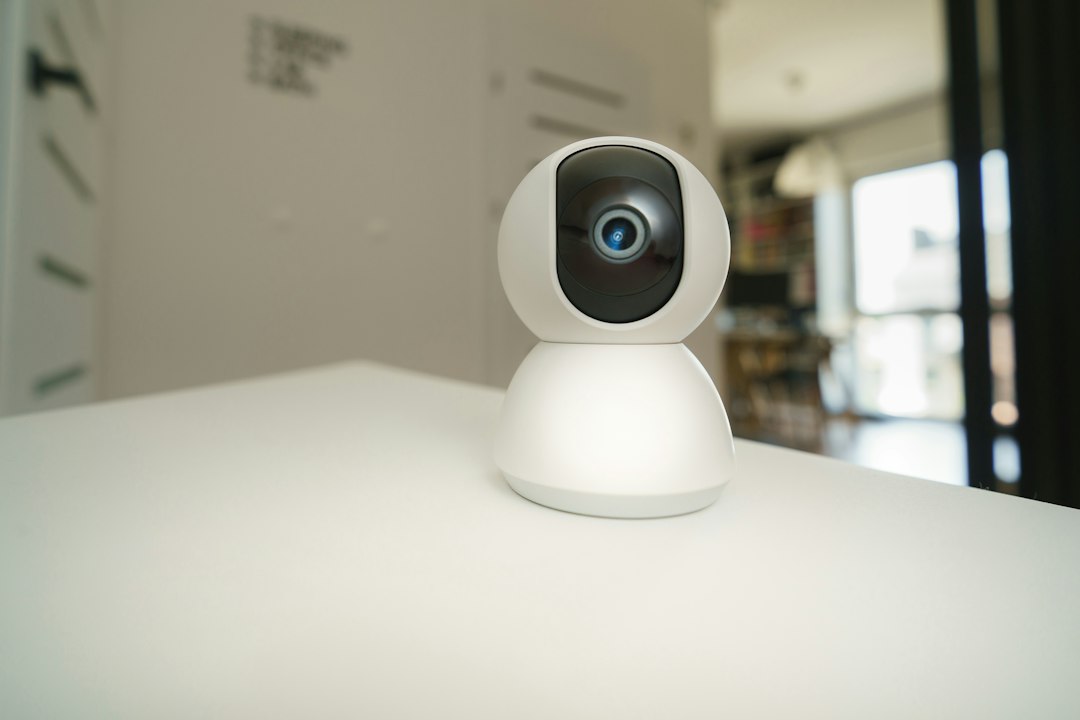
Final recommendation
Pick the Eufy Indoor Cam C120 if you want the best balance of video quality, alerts, and privacy. Choose the Eufy E220 if you need pan and tilt with better smart detection. Buy the TP-Link Tapo C210 if price matters most and you still want solid coverage.
Blurams is best for simple cloud-based use. It is easy, but not the best fit for users who dislike subscriptions. For most homes, one camera near the main entry and one in a shared living space is enough to catch the events that matter without turning your home into a surveillance bunker.