Pick a manufacturing CRM based on your sales motion, not the fanciest demo. If your team sells complex machines, spare parts, service plans, and long contracts, Salesforce is often the heavyweight choice. If your team needs clean pipelines and fewer clicks, Pipedrive can be a sweet relief. Manufacturing is too big for messy spreadsheets anyway, with U.S. manufacturing adding roughly $2.9 trillion in value to the economy in 2023 [source: NAM].
TLDR: A manufacturing CRM helps sales, service, and production teams see the same customer data. For example, a parts supplier with 500 active accounts could use CRM alerts to follow up on quotes within 24 hours and reduce missed deals by 15%. Salesforce is best for bigger teams with complex needs. Pipedrive is best for smaller teams that want a simple sales pipeline without a six-month setup drama.
Why manufacturers need CRM
Manufacturing sales are weird. In a good way. You are not selling socks.
You may sell:
- Custom parts
- Large machines
- Repair contracts
- Replacement components
- Dealer orders
- Repeat bulk purchases
That means lots of quotes. Lots of approvals. Lots of “Can you send that again?” emails. Honestly, it feels like half the job is finding the last message from someone named Mike.
A CRM fixes that. It keeps contacts, deals, quotes, notes, calls, and tasks in one place. The best ones also connect to ERP, email, calendars, quoting tools, and support software.

Salesforce for manufacturing
Salesforce is the big machine in the room. It can do a lot. Sales tracking. Service cases. Partner portals. Forecasting. Account planning. Automation. Reports that make managers grin.
For manufacturers, Salesforce can help with long sales cycles. A deal might start with a plant manager, move to procurement, then land with finance. Salesforce can track every step.
Good fit for:
- Mid-size and large manufacturers
- Teams with field sales reps
- Companies with dealers or distributors
- Sales teams that need deep reports
- Firms that want ERP links
The catch is the setup. Salesforce can feel like buying a sports car that arrives in boxes. Powerful? Yes. Ready in one afternoon? Probably not.
You may need admin help. You may need consulting. You may need training. Those costs matter. Still, if your process is complex, Salesforce can be worth it.
If you want a deeper feature comparison, this HubSpot vs Salesforce CRM guide is a useful side read.
Pipedrive for manufacturing
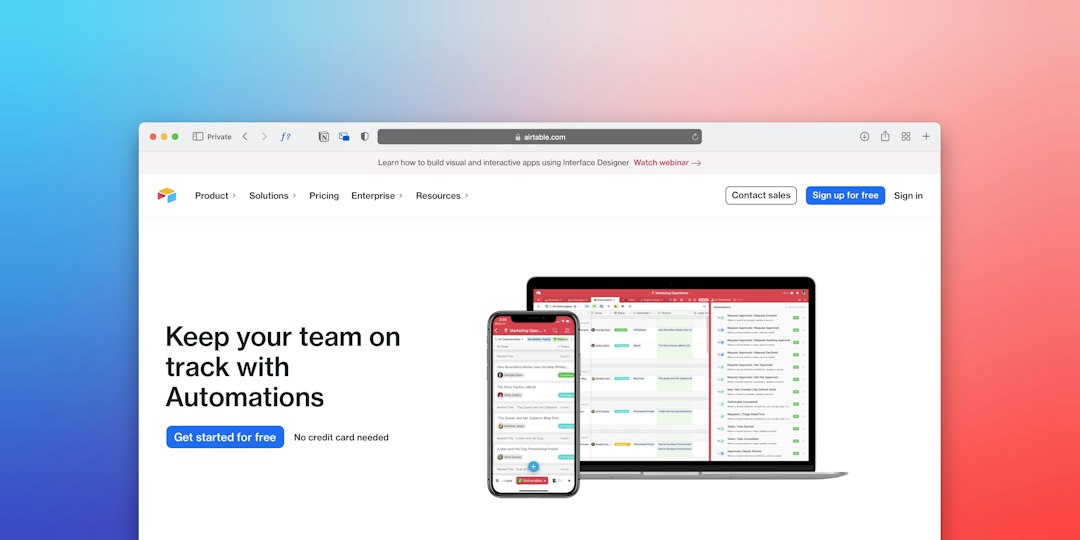
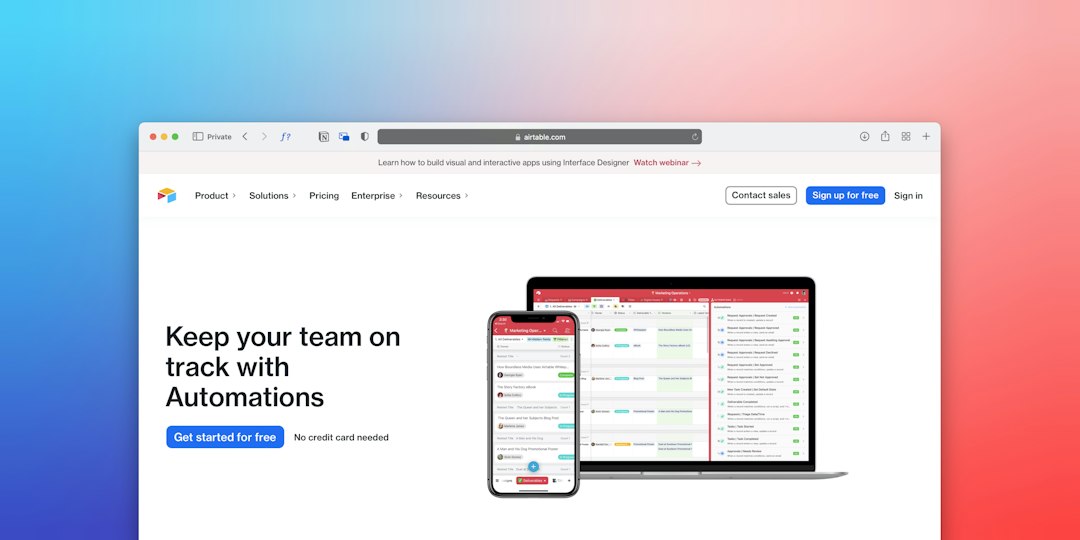
Pipedrive is much simpler. That is its charm. Open it, and you see your deals in stages. New lead. Quote sent. Sample approved. Contract won. Easy.
For a small manufacturer, that may be enough. No giant admin plan. No scary dashboard jungle. Just deals moving from left to right.
Good fit for:
- Small manufacturers
- Job shops
- Metal fabricators
- Packaging suppliers
- Parts makers with simple sales steps
Pipedrive is also nice for follow-ups. It keeps reps from forgetting calls. It shows stale deals. It reminds people to act. Tiny thing. Big impact.
It drives me crazy when a tool takes 12 clicks to add a note. Pipedrive mostly avoids that. It feels light. That matters when your sales rep is in a truck outside a customer plant.
Other CRM choices worth a look
Salesforce and Pipedrive are not the only names. Some teams may prefer other tools.
- HubSpot: Friendly interface. Good marketing tools. Nice for inbound leads.
- Zoho CRM: Budget-friendly. Lots of apps. Can feel busy, but useful.
- Microsoft Dynamics 365: Strong if your company already lives in Microsoft tools.
- NetSuite CRM: Good when ERP and CRM need to sit close together.
- Freshsales: Simple sales tracking with built-in phone and email features.
Different industries have different CRM habits. Car dealers, for example, often use tools built for inventory and showroom follow-up. This piece on automotive CRM platforms shows how niche systems can work when the sales process is very specific.
What features matter most?
Do not buy a CRM because the dashboard looks pretty. Pretty does not ship orders.
Look for these features first:
- Contact history: See every call, email, and meeting.
- Quote tracking: Know which quotes are open, won, or dead.
- Pipeline stages: Match your real sales process.
- Task reminders: Stop losing deals to silence.
- Email sync: Keep messages tied to the right account.
- ERP connection: Link orders, stock, pricing, and invoices.
- Reports: Spot which products and reps drive revenue.
For nonprofits, donor tracking has similar needs. People, notes, gifts, campaigns, and reports all need structure. This guide to nonprofit CRM platforms shows how the same CRM logic changes by market.
A simple use case
Picture a 60-person machine parts maker.
They get 80 quote requests per month. Before CRM, 20 quotes sit too long. Nobody follows up. Some buyers move on.
Now they add Pipedrive. Every quote gets a due date. Every rep gets reminders. The manager sees aging deals each Friday. If follow-up improves by 25%, that could mean five more serious conversations per month. Not magic. Just less chaos.
Now picture a larger manufacturer with 12 sales reps, 40 distributors, and service teams in three regions. Salesforce may fit better. It can connect account plans, partner activity, support cases, and forecasts.
Image not found in postmeta
How to choose
Use this quick rule:
- Choose Pipedrive if you want speed, simple pipelines, and easy follow-up.
- Choose Salesforce if you need deep customization, heavy reporting, and complex workflows.
- Choose HubSpot if marketing and sales must work closely together.
- Choose Zoho if budget is tight but you still want many features.
- Choose Microsoft Dynamics 365 if Microsoft is already your company’s home base.
The best manufacturing CRM is the one your team will actually use. Not the one with the longest feature list. Not the one with the flashiest demo. Pick the tool that makes selling parts, machines, and service contracts less painful. That is the real win.