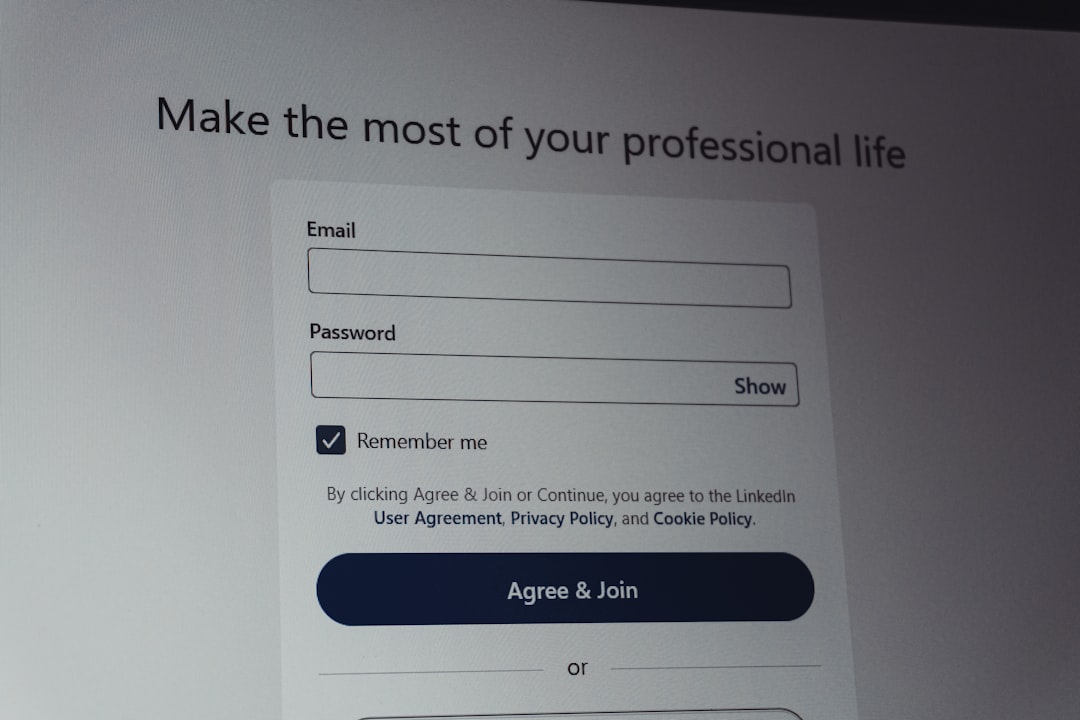
Write the design specification before major build work begins, and keep it short enough that people will actually use it. A good spec turns vague intent into testable decisions. It also reduces rework, which matters because even small usability tests with five users can reveal many serious design issues early [source: Nielsen Norman Group].
TLDR: A strong design specification explains what the product must do, how the interface should behave, and how success will be measured. For example, if a checkout redesign aims to cut cart abandonment by 12%, the spec should define the target flow, error states, analytics events, and acceptance rules before developers start. Keep it practical: one source of truth, clear owners, version history, and enough detail to prevent guesswork. Expect to waste time on Slack debates if button states, empty screens, and edge cases are not written down.
What a design specification should achieve
A design specification is not a pretty document for storage. It is a working agreement between product, design, engineering, QA, and sometimes legal or support teams. It should answer three basic questions:
- What are we building?
- Why are we building it?
- How will we know it works?
For software and UI projects, the best specs connect product goals to interface details. They describe user flows, screen states, data rules, permissions, error handling, accessibility needs, and measurable outcomes. If a developer has to guess what happens after a failed payment, the spec has failed.
Start with outcomes, not screens
Many teams jump straight into mockups. That feels efficient. It rarely is. Screens without goals create shallow agreement. Everyone nods, then later argues about behavior, scope, or priority.
Begin with the outcome. Write it in plain language. For example:
- Goal: Reduce time to create an invoice from 90 seconds to 45 seconds.
- User: Small business owner creating invoices on desktop and mobile.
- Success metric: 20% fewer support tickets about invoice setup within 60 days.
- Limit: No changes to tax calculation logic in this release.
This type of framing keeps the team focused. It also stops scope creep before it becomes expensive.
Define the user flow clearly
Every useful UI spec needs a flow. Not just the happy path. Real users mistype passwords, lose network access, upload huge files, skip required fields, and close tabs halfway through a task.
Map the main path first. Then add exceptions. Include entry points and exit points. Show what happens when the system succeeds, fails, or waits. Honestly, it feels like half of avoidable product bugs come from ignored “what if” moments.
A clear flow should include:
- Starting condition: Where the user begins.
- Trigger: The action that starts the flow.
- System response: What the product does next.
- User feedback: Messages, loaders, progress, or alerts.
- End state: What has changed after completion.
Document UI states, not just final screens
A polished desktop mockup is not enough. A serious specification includes all meaningful states. This is where many projects get messy.
- Default state: The normal view.
- Loading state: What users see while data is fetched.
- Empty state: What appears when no data exists.
- Error state: What happens when something breaks.
- Disabled state: What cannot be used, and why.
- Success state: Confirmation after completion.
Small details matter here. A disabled “Submit” button without an explanation can add seconds of confusion. A vague error like “Something went wrong” can push users into support. It drives me crazy when teams spend days on gradients but leave error copy until the last hour.
Use acceptance criteria that can be tested
Acceptance criteria turn opinions into checks. They help QA test the product. They also help engineers know when work is done.
A weak rule says: “The form should be easy to use.”
A strong rule says: “When a required field is empty, the form must show an inline error within 300 milliseconds after submission, keep the user’s entered data, and move keyboard focus to the first error.”
Good criteria are specific. They avoid fuzzy words. They cover behavior, timing, content, accessibility, and data changes where needed.
Keep design tokens and components consistent
For UI projects, the spec should reference the design system. Do not redefine button styles in every project. Use shared components when possible. This protects consistency and saves build time.
Include details such as:
- Component names.
- Color tokens.
- Typography rules.
- Spacing values.
- Breakpoints.
- Icon usage.
- Interaction rules.
If the project introduces a new component, explain why. Add usage rules. Add restrictions. Without that, the product slowly fills with one-off patterns that future teams must clean up.
Include accessibility from the start
Accessibility is not a late QA task. It belongs in the specification. Define keyboard behavior, focus order, contrast needs, labels, alt text, and screen reader expectations. This is not just about compliance. It is about making the product usable by more people.
For example, a modal spec should state where focus moves when it opens, how it closes, and where focus returns after closing. These rules prevent awkward and broken experiences.
Assign ownership and keep version history
A spec needs an owner. Otherwise, it becomes stale. Name the product owner, design owner, technical owner, and reviewer. Add dates. Track changes. If a decision changes, record why.
Use a shared workspace, but avoid scattering decisions across comments, chats, tickets, and meeting notes. One source of truth matters. People should not need detective skills to find the latest rule for a pricing table.

Review the spec before build starts
Run a short review with design, engineering, QA, and product. Keep it direct. Ask what is unclear, risky, missing, or too broad. Fix those gaps before sprint work begins.
The best design specifications are practical, current, and testable. They do not replace conversation. They make conversation useful. When written well, they reduce rework, protect product quality, and give teams a shared plan they can trust.