Use Twitch Tags first if your goal is raw discovery on Twitch, then use Streamlabs to improve retention, presentation, and viewer interaction. Tags help the right viewer find the right stream. Streamlabs helps that viewer stay, chat, follow, and come back. Mixing the two is best, but they do very different jobs.
TLDR: Twitch Tags affect how viewers find you through search, filters, and category browsing, while Streamlabs mainly improves how polished and interactive your stream feels after someone clicks. For example, a small variety streamer averaging 12 viewers might gain 15–25% more first-time chatters by using accurate tags like Cozy, First Playthrough, and Backseating Allowed during the right game. Streamlabs may not push that stream higher in Twitch search, but better alerts, clean overlays, and chat widgets can raise follow conversion from 3% to 5% over a month. Use tags for being found; use Streamlabs for making the visit count.
What Twitch Tags Actually Do
Twitch Tags are discovery signals. They tell viewers what kind of stream they are about to enter before they click. They also help Twitch sort streams into more useful filters. A viewer may not search for your channel name. They may search for a vibe, a language, a challenge type, or a community label.
That is where tags matter. A title like Ranked grind tonight says very little. Add tags such as Competitive, English, Controller, and Educational, and the stream becomes easier to understand at a glance.

Twitch Tags can describe many things, including:
- Stream style: cozy, competitive, casual, educational, speedrun.
- Viewer interaction: backseating allowed, no spoilers, chatty, viewer games.
- Identity and community: LGBTQIA plus, disabled, neurodivergent, family friendly.
- Language: English, Spanish, German, French, Japanese, and more.
- Game context: first playthrough, ranked, challenge run, permadeath.
The best part is also the most annoying part: tags are simple, so people underestimate them. It drives me crazy when a streamer spends three hours tweaking an alert animation but goes live with vague or missing tags. That is like opening a shop and refusing to put a sign on the door.
What Streamlabs Does for Discovery
Streamlabs does not work like Twitch Tags. It is not a search filter. It does not directly tell Twitch who should see your stream. Instead, it improves the viewing experience with tools such as alerts, overlays, donation pages, chat boxes, goal bars, merch panels, and widgets.
That still matters for discoverability, but in an indirect way. Twitch discovery is not only about getting the first click. It is also about what happens after the click. If a new viewer lands on your stream and sees a clean layout, readable chat, fast alerts, and a host who reacts well, they are more likely to stay.
That can help your stream over time. More chat activity, longer watch time, and higher return rates are all strong signs that something is working. Streamlabs can support those signals by making your stream feel alive.
Common Streamlabs features that support growth include:
- Follower alerts: They reward new viewers and create a small social moment.
- Chat box overlays: They make conversations visible in clips and VODs.
- Goal widgets: They give viewers a clear reason to participate.
- Event lists: They show recent support and make the stream feel active.
- Cloudbot commands: They answer repeated questions and keep chat moving.
Twitch Tags vs Streamlabs: The Real Difference
The simplest split is this: Twitch Tags improve discoverability before the click. Streamlabs improves the experience after the click.
Tags help with intent. A viewer who wants a calm Stardew Valley stream may filter for cozy streams. A viewer who wants help improving at Valorant may look for educational content. A viewer who wants a streamer who welcomes backseating might seek that exact tag.
Streamlabs helps with trust. A messy stream with giant flashing alerts, unreadable fonts, and five widgets fighting for space can push viewers away. A clean Streamlabs setup can make a small channel look prepared, even with low viewer count.
| Feature | Twitch Tags | Streamlabs |
|---|---|---|
| Main purpose | Help viewers find relevant streams | Improve presentation and interaction |
| Direct impact on Twitch search | Yes | No |
| Best for | Filtering, browsing, viewer intent | Retention, alerts, chat energy |
| Risk | Using vague or misleading tags | Clutter, lag, distracting widgets |
Why Tags Often Win for Small Streamers
Small streamers need every relevant click they can get. Tags can help with that right away. They take seconds to change and do not require design skills, plug-ins, or extra scenes.
If you stream to two viewers in a packed category, you probably will not sit near the top. Tags give you another route. They help niche viewers sort the list. That does not mean tags will fix everything. Bad audio, dull titles, or no chat engagement can still kill growth fast. But tags give you a better shot at being seen by the type of person who might actually care.
Good tag use is specific. Bad tag use is wishful thinking. Do not tag your stream as Educational if you are silently losing ranked matches while eating chips. Do not use Cozy if your stream is loud, chaotic, and full of rage. Mismatched tags may get clicks, but they create fast exits.
Where Streamlabs Can Hurt You
Streamlabs is useful, but it can become a mess quickly. Honestly, it feels like some streamers install every widget because it exists. The result is visual noise. The game gets squeezed into a tiny box, alerts cover key moments, and the overlay eats more attention than the streamer.
There is also a performance cost. Heavy browser sources, animated overlays, and multiple alerts can add lag or dropped frames on weaker PCs. If your stream stutters, viewers leave. No alert package can save bad video quality.
Keep Streamlabs simple. Use one clean overlay. Make alerts short. Keep text readable on mobile. Test scenes before going live. If an alert takes 8 seconds to finish and blocks gameplay, shorten it. Viewers should remember you, not your widget pack.
A Smart Setup: Tags First, Streamlabs Second
The best setup is not a fight between Twitch Tags and Streamlabs. It is a sequence.
- Choose your game or category with intent. Avoid huge categories unless you have a clear niche.
- Write a clear title. Say what viewers will see, not just how you feel.
- Add accurate Twitch Tags. Pick tags that match tone, language, playstyle, and chat rules.
- Use Streamlabs to support the stream. Add alerts, goals, and chat tools only if they serve a purpose.
- Review your numbers weekly. Track clicks, follows, average viewers, and chatters.
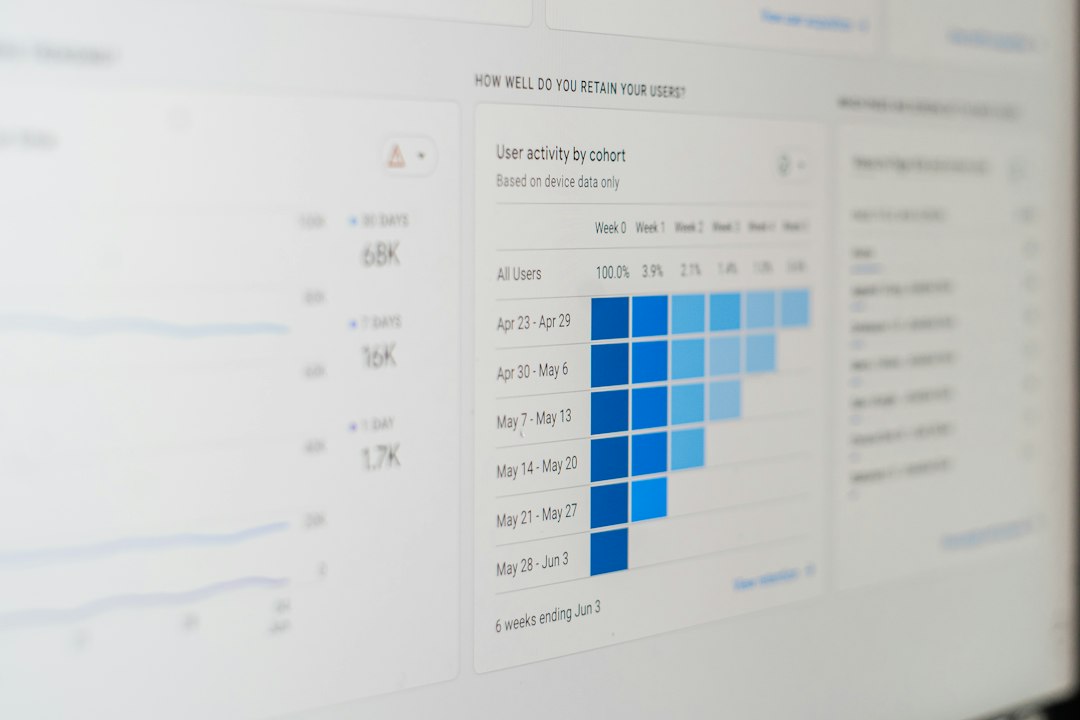
For example, test two weeks of tag-focused streaming. In week one, use broad tags like Casual and English. In week two, try more specific tags like First Playthrough, No Spoilers, Cozy, and Chatty. If unique chatters rise from 18 to 27, that is a 50% lift. That is useful data, even if average viewers only move from 9 to 10.
Best Practices for Twitch Tags
- Use all available tag slots when they fit. Empty space is wasted context.
- Match the stream mood. Tags should describe the real experience.
- Update tags for each stream. A speedrun day and a chill day need different tags.
- Think like a viewer. Ask what someone would filter for before finding you.
- Pair tags with your title. Tags and title should support the same promise.
Best Practices for Streamlabs
- Keep overlays light. Clean beats crowded almost every time.
- Make alerts quick. Two to four seconds is often enough.
- Use goals carefully. A follower goal can help, but five goals look needy.
- Check mobile readability. Many viewers watch on small screens.
- Remove tools that do nothing. If a widget does not improve chat or clarity, cut it.
Final Verdict
Twitch Tags are better for improving stream discoverability inside Twitch. They connect your stream with viewer intent and help people find content that fits their mood. They are simple, free, and often ignored by streamers who should know better.
Streamlabs is better for improving the viewer experience after discovery. It can make your channel feel more active, more readable, and more rewarding to engage with. Just do not mistake polish for reach.
If you are starting from zero, fix your tags, title, audio, and category choice first. Then build a clean Streamlabs setup. Discovery gets the viewer through the door. Presentation gives them a reason to stay.