Customers do not like waiting. They want answers while the coffee is still hot. That is where reply bot tools come in. They help businesses answer faster, stay friendly, and avoid drowning in messages.
TLDR: Reply bot tools help teams send quick, useful answers to customers. They can reply to common questions, sort messages, and pass tricky issues to humans. For example, a small online store using a reply bot may answer 70% of “Where is my order?” questions without staff help. This can cut response time from 2 hours to under 2 minutes.
What Is a Reply Bot Tool?
A reply bot tool is software that answers customer messages for you. It can work in live chat, email, social media, apps, or help desks.
Think of it as a super polite helper. It never sleeps. It never sighs. It never says, “Please hold,” while secretly eating chips.
Reply bots use saved replies, rules, and sometimes artificial intelligence. Some bots follow simple scripts. Others understand questions and write fresh replies. Many tools do both.
They can answer things like:
- “What are your opening hours?”
- “Where is my order?”
- “How do I reset my password?”
- “Do you ship to Canada?”
- “Can I return this item?”
Why Fast Replies Matter
Customers are impatient. Not because they are bad people. Because life is busy. Their dog is barking. Their soup is boiling. Their phone has 47 notifications.
When a business replies quickly, it feels professional. It feels safe. It feels like someone is paying attention.
Fast communication can improve:
- Customer trust, because people feel heard.
- Sales, because questions get answered before buyers leave.
- Team happiness, because staff answer fewer repeat questions.
- Reviews, because fewer customers feel ignored.
A slow reply can cost money. A customer may ask about a product, wait too long, and buy from someone else. A reply bot can step in right away. It can say, “Yes, this item is in stock,” or “Here is our size guide.” That tiny answer can save the sale.
What Reply Bots Can Do
Reply bot tools are not just digital parrots. Good ones can do many useful things.
1. Answer common questions
This is the big one. Most businesses get the same questions every day. Reply bots can handle these in seconds.
For example, a gym may get asked, “What time do you open?” ten times a day. A bot can reply with the full schedule. It can also link to membership plans.
2. Collect customer details
A bot can ask for useful information before a human joins the chat. It may ask for an order number, email address, or issue type.
This saves time. The support agent does not need to start with “Can I have your order number?” for the 300th time.
3. Send people to the right place
Some questions should go to sales. Some should go to billing. Some should go to technical support. A reply bot can sort the message and route it to the right team.
It is like a tiny traffic controller. But instead of waving cars around, it waves questions around.
4. Help outside business hours
Your team needs sleep. Your customers may still have questions at midnight. A bot can help after hours.
It can answer simple questions. It can set expectations. It can say, “Our team will reply at 9 AM.” That is much better than silence.
5. Suggest replies to human agents
Some tools do not send answers on their own. Instead, they suggest replies to support staff. The agent can edit and send them.
This is great when you want speed but still want a human touch.

Types of Reply Bot Tools
Not all bots are the same. Some are simple. Some are fancy. Some are so fancy they need a little bow tie.
- Rule based bots: These follow set paths. If a customer clicks “Shipping,” the bot shows shipping answers.
- AI chatbots: These understand typed questions and create answers. They can feel more natural.
- Email reply assistants: These suggest or write email responses for support teams.
- Social media bots: These answer messages on platforms like Instagram, Facebook, or messaging apps.
- Help desk bots: These work inside support systems. They can tag tickets, suggest replies, and route issues.
Benefits for Small Businesses
Reply bots are not only for huge companies with glass offices and giant coffee machines. Small businesses can use them too.
A bakery can use a bot to answer cake order questions. A plumber can use one to collect appointment details. A coach can use one to share pricing and booking links.
Here is a simple example:
A small pet supply shop gets 120 customer messages each week. Around 60 messages are about delivery times, returns, and product sizes. A reply bot handles those. The owner now saves about 5 hours every week. That is more time for packing orders, helping pets, or finally eating lunch before 4 PM.
How to Make Bot Replies Feel Human
A bad bot is annoying. We all know the type. It says, “I do not understand,” five times, then vanishes into the robot fog.
A good bot feels warm, clear, and useful.
Try these tips:
- Use simple language. Do not sound like a legal document in a hat.
- Keep replies short. Customers want answers, not a novel.
- Add friendly words. Say “happy to help” or “good question.”
- Give clear next steps. Tell people what to click or do next.
- Offer a human option. Make it easy to reach a person.
Also, test your bot often. Ask real questions. Try weird wording. Pretend you are a confused customer holding a sandwich in one hand. If the bot still helps, you are doing well.
Where Reply Bots Work Best
Reply bots work best when questions are repeated, simple, and easy to answer. They are perfect for order tracking, booking details, product info, refunds, and account help.
They are not perfect for every situation. Angry customers may need a real person. Complicated problems may need careful thinking. Sensitive topics should be handled with extra care.
The best setup is a mix. Let bots handle quick jobs. Let humans handle complex ones. This gives customers speed and empathy.

Things to Look for in a Reply Bot Tool
Before choosing a tool, think about your needs. Do you get more emails or live chats? Do customers contact you on social media? Do you need automation, AI, or just saved replies?
Look for features like:
- Easy setup with no coding.
- Custom reply templates.
- AI answer suggestions.
- Human handoff options.
- Message tagging and routing.
- Reports and analytics.
- Support for your main channels.
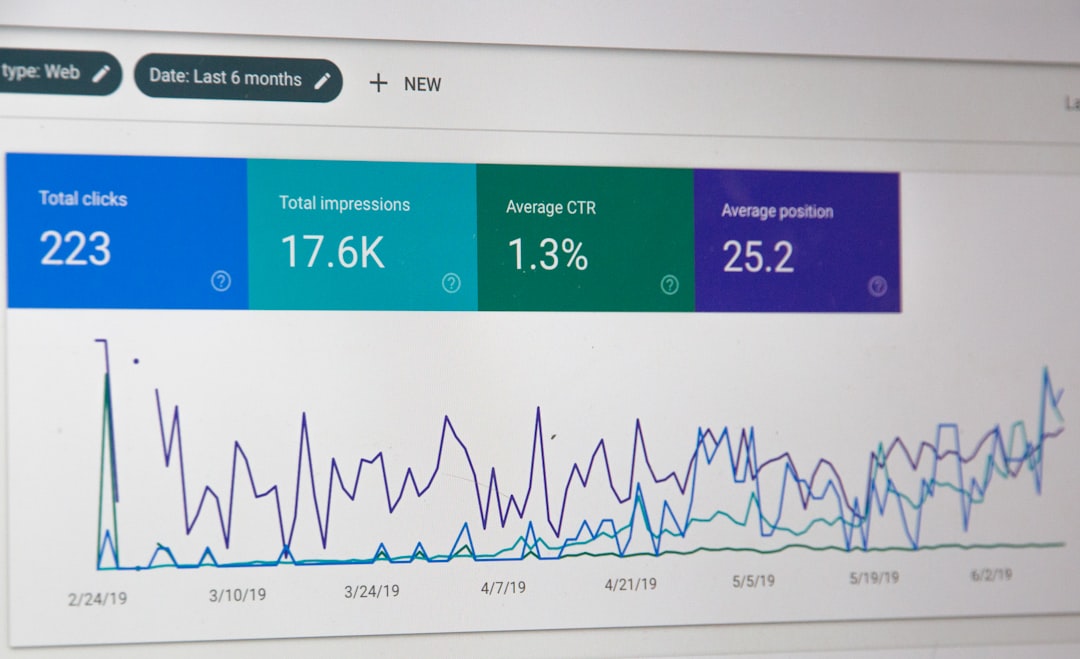
Analytics are very useful. They show what customers ask most. They also show how fast your team replies. If your bot solves 55% of chats, that is helpful to know. If it solves only 5%, it may need better training.
Common Mistakes to Avoid
Reply bots are powerful. But they need care. Do not just turn one on and hope for magic.
- Do not hide human support. Customers hate being trapped.
- Do not make replies too long. Short is better.
- Do not promise things the bot cannot do. Be honest.
- Do not forget updates. Old shipping info can cause chaos.
- Do not use cold language. Friendly wins.
A bot should feel like a helpful guide. Not a locked door with a blinking light.
The Future of Faster Customer Communication
Reply bot tools are getting smarter. They can understand tone. They can summarize long messages. They can suggest better answers. Some can even help teams spot unhappy customers before things get worse.
Still, the goal is simple. Help people faster. Make support easier. Give teams more breathing room.
Used well, reply bots do not replace great customer service. They support it. They handle the tiny questions, so humans can handle the big ones.
So yes, reply bots are a bit like tiny customer service superheroes. They wear no capes. They take no breaks. And they are very good at answering, “Where is my order?” for the thousandth time.
Bottom line: If your inbox feels like a dragon, a reply bot can help tame it. Start small. Automate common questions. Keep the tone friendly. Your customers will get faster answers, and your team may finally get to enjoy that coffee while it is still warm.