Uizard AI is the better choice for turning rough ideas into clickable prototypes fast, while Figma is the stronger choice for teams that need precision, design systems, and production-ready collaboration. A founder, product manager, or non-designer can get more value from Uizard in the first hour. A professional product team will usually outgrow it and move work into Figma for refinement.
TLDR: Uizard works best when speed matters more than pixel-level control. Figma works best when quality, consistency, and handoff matter more than instant output. For example, a startup team could use Uizard to generate three mobile app concepts from prompts in under 30 minutes, then rebuild the winning flow in Figma for developer handoff. In many early product sprints, that can cut the first prototyping round by 40% to 60% compared with starting from a blank canvas.
What Uizard AI Does Best
Uizard AI is built around fast ideation. It can create wireframes, mockups, and clickable prototypes from short text prompts. It can also turn hand-drawn sketches or screenshots into editable designs. That makes it useful for people who know what they want, but do not want to fight a blank design file.
Its main appeal is simple: describe the screen, get a draft. A user can type something like “create a mobile banking onboarding flow with sign up, identity check, and dashboard screens,” then get a usable starting point. It will not be perfect. Copy may be plain. Spacing may feel generic. But the first draft appears fast enough to keep a meeting moving.
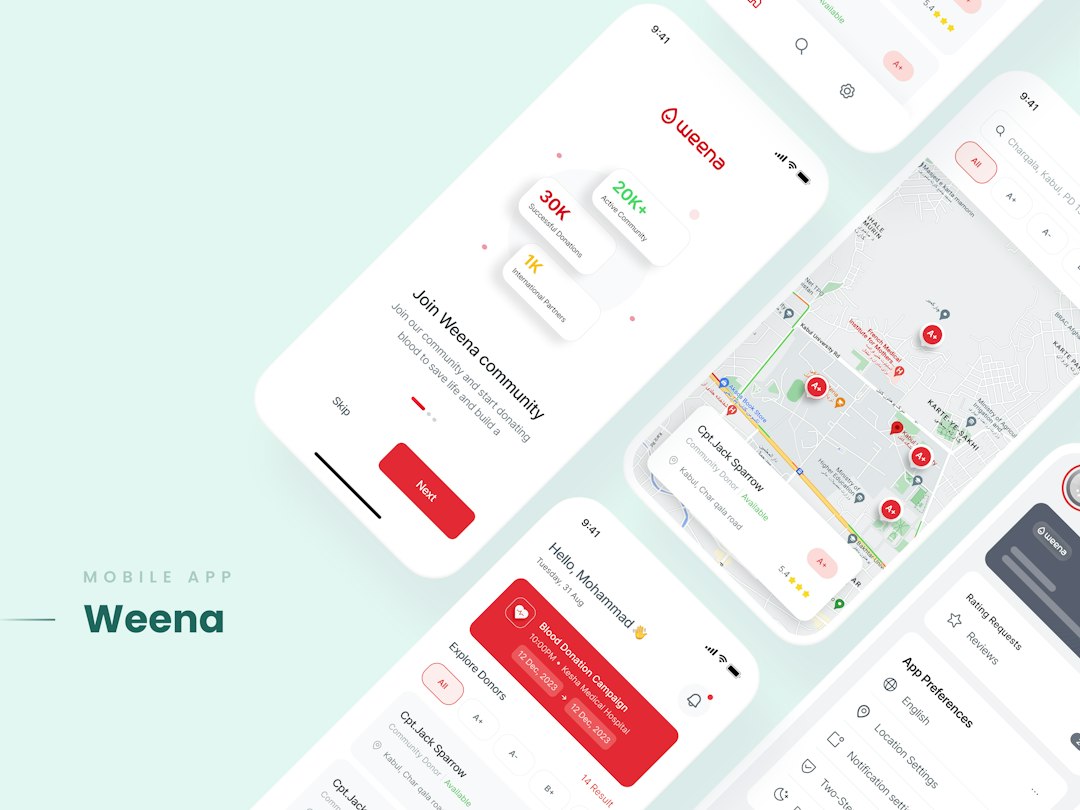
This matters for teams where design is a bottleneck. Product managers can test user flows before asking a designer to polish them. Founders can mock up ideas before investor calls. Agencies can show several rough directions before spending billable hours on detailed design.
Where Figma Wins
Figma is not just a prototyping tool. It is a full design workspace. Teams use it for interface design, design systems, comments, developer handoff, whiteboarding, component libraries, and product documentation. Its AI features can help with ideation and repetitive tasks, but its real strength is still control.
Figma gives designers much finer control over layout, typography, variants, constraints, auto layout, styles, and reusable components. That matters when a prototype is moving toward production. Small details become expensive later. A button that exists in 14 slightly different versions can make a design system messy fast.
The catch is that Figma asks more from the user. Someone new to interface design may stare at the canvas and lose 20 minutes just arranging a header, image block, and call-to-action area. Uizard may generate that structure in seconds. Figma then becomes better once the team knows what should be built.
AI-Powered Prototyping: Speed vs Control
The core difference is not “which tool has AI.” The real question is how much control the team needs after AI creates the first draft.
- Uizard: better for quick drafts, concept testing, and non-designers.
- Figma: better for detailed UI work, design systems, and engineering handoff.
- Uizard: useful when the idea is still messy.
- Figma: useful when the team is ready to polish, test, and ship.
In Uizard, AI feels like the main feature. In Figma, AI feels more like an assistant inside a larger professional tool. That difference changes the whole workflow.
Uizard vs Figma: Feature Comparison
| Category | Uizard AI | Figma |
|---|---|---|
| Best for | Fast AI mockups and simple prototypes | Professional UI design and team workflows |
| Skill level | Beginner-friendly | Better for trained designers |
| AI strength | Prompt-to-design, sketch-to-wireframe, screenshot conversion | AI assistance, plugins, ideation, workflow help |
| Design control | Moderate | High |
| Collaboration | Good for simple team review | Excellent for large product teams |
| Developer handoff | Basic | Strong |
Who Should Use Uizard AI?
Uizard makes sense for users who need to show an idea before it is fully defined. It is useful for:
- Startup founders building early app concepts.
- Product managers testing flows before design review.
- Marketing teams creating landing page mockups.
- Students learning UX basics without heavy software.
- Agencies creating quick options for client feedback.
It drives users crazy that AI-generated designs can look close to ready, then fail on small details. Icons may feel random. Alignment may need cleanup. Some screens may not match the rest of the flow. Still, for early-stage thinking, that mess is often acceptable.
Who Should Use Figma?
Figma is the better option when a product needs to become real. Designers can create reusable components, manage responsive behavior, and prepare files for developers. Larger teams also benefit from shared libraries, branching, permissions, comments, and version history.
Figma is especially strong for:
- UX and UI designers working on production screens.
- Design teams maintaining brand and product consistency.
- Developers inspecting specs and assets.
- Enterprises that need review cycles and shared systems.
- Product teams running usability tests on clickable prototypes.
Figma also has a larger plugin ecosystem. That gives teams access to content generators, accessibility checkers, design tokens, user flow tools, icon libraries, and AI add-ons. Uizard has speed. Figma has depth.
Prototype Quality and Real-World Use
A Uizard prototype can be good enough for a pitch, workshop, or early user interview. It can show intent. It can explain the journey. It can help a team decide if an idea is worth more time.
A Figma prototype is better when interactions, states, and visual rules need care. For example, an e-commerce checkout flow in Uizard may show the right screens: cart, address, payment, confirmation. In Figma, the team can refine error states, disabled buttons, mobile breakpoints, payment field behavior, and accessibility contrast.
That difference matters. A prototype used for a five-minute stakeholder review does not need every edge case. A prototype used to guide engineering should be far tighter.
Pricing and Value
Both tools offer tiered pricing, and plans change over time. Uizard often feels more cost-effective for casual users because it reduces the need for design skill at the start. Figma can become more valuable as team size grows, especially when designers, developers, and product managers all work in one shared space.
For a small team, the smartest setup may be mixed. Uizard can produce early drafts. Figma can turn the chosen concept into a serious product file. This avoids wasting senior design time on weak ideas.

Best Workflow: Use Both When Possible
The strongest process is often not Uizard or Figma. It is Uizard first, Figma second.
- Start in Uizard with prompts, sketches, or screenshots.
- Create several rough directions for the same product idea.
- Review with stakeholders and remove weak options fast.
- Move the best direction into Figma for detailed design.
- Build components, states, and handoff specs in Figma.
This workflow protects time. It also keeps the team from polishing the wrong concept. Honestly, it feels like a waste when a designer spends three days refining a flow that stakeholders reject in ten minutes. Uizard helps surface that rejection earlier.
Final Verdict
Uizard AI is best for speed, rough prototypes, and users who are not trained designers. It turns vague ideas into screens quickly and keeps early product conversations moving. Figma is best for professional design work, scalable systems, and team collaboration. It takes longer to learn, but it gives teams more control and better output near production.
For AI-powered prototyping, Uizard wins the first draft. Figma wins the final version. Teams that use both can move faster without giving up quality.
FAQ
Is Uizard better than Figma for AI prototyping?
Uizard is better for fast AI-generated prototypes. Figma is better for polished prototypes that need precise layout, reusable components, and developer handoff.
Can Uizard replace Figma?
For simple mockups, yes. For full product design work, usually no. Most serious teams still need Figma for design systems, collaboration, and production details.
Is Uizard good for non-designers?
Yes. Uizard is one of its main strengths. Product managers, founders, and students can create usable prototypes without deep UI design skills.
Does Figma have AI features?
Yes. Figma has AI features and many AI-related plugins. Its AI is helpful, but the platform is still centered on professional design control.
Which tool should a startup choose?
A startup should choose Uizard for quick idea testing and investor mockups. It should choose Figma when the product is ready for detailed design and development.
Can designs move from Uizard to Figma?
Teams can recreate or transfer concepts from Uizard into Figma, depending on available export options and workflow needs. In many cases, Uizard is used for direction, while Figma becomes the clean production file.